


U.S. Coast Guard (maritime): 1-855-406-8724
U.S. Air Force (land/air): 1-800-851-3051
U.S. Air Force (Alaska land/air): 1-800-420-7230
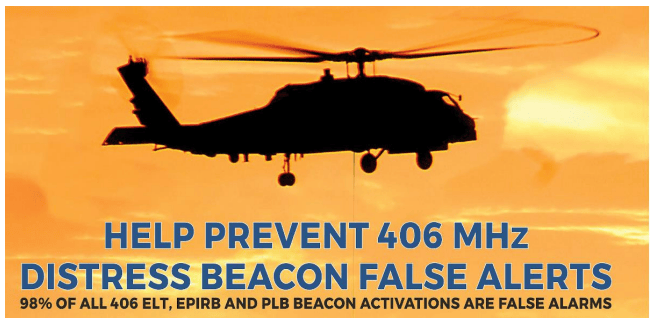
Understanding False Alerts in 406 MHz Beacons and How to Avoid Them
False alerts cost responders precious time and resources. By properly maintaining your 406 MHz beacon, following the correct procedures for testing, and keeping your registration updated, you can help ensure that your beacon only sends a signal when it’s truly needed. This not only helps keep search and rescue efforts efficient, but also ensures that your beacon will be there for you in an actual emergency.
By taking the necessary precautions and staying informed, you can significantly reduce the risk of false alerts and enhance safety for yourself and others.
What is a False Alert?
A false alert occurs when a 406 MHz beacon is activated unintentionally or when it transmits an emergency signal that is not related to an actual distress situation. These false signals can lead to unnecessary rescue efforts, diverting resources from real emergencies.
False alerts can be caused by several factors, including:
⦁ Accidental activation: This can happen if a beacon is activated by mistake, such as when it is knocked against something or turned on while stored.
⦁ Improper testing: Some beacons allow for testing but using them incorrectly can send out a false distress signal.
⦁ Battery issues: A beacon with a low or faulty battery might malfunction, potentially sending a false signal.
⦁ Environmental interference: Harsh weather conditions or rough handling may trigger a false alert.
How to Avoid False Alerts
Properly Test Your Beacon:
Always follow the manufacturer's instructions when testing your beacon. Use the beacon’s designated test feature, which does not send out an actual distress signal but ensures your device is functioning properly.
Check the Activation Mechanism:
Make sure your beacon’s activation switch is properly secured and cannot be accidentally triggered. Some beacons have protective covers or safety mechanisms that prevent accidental activation.
Store Your Beacon Securely:
Keep your beacon in a safe, secure location where it is unlikely to be activated by mistake. Ensure that it is not exposed to unnecessary movement, impacts, or extreme conditions.
Regularly Check the Battery:
A beacon with a low or faulty battery can malfunction and send false alerts. Regularly check the battery life of your beacon and replace it as recommended by the manufacturer. Be sure to test the beacon after replacing the battery to ensure proper functionality.
Educate All Users:
If you share your beacon with others (e.g., on a boat or with a group), make sure everyone knows how to properly use and test the beacon. Instruct them not to press the emergency button unless it's a genuine emergency.
Verify Beacon Registration Information:
Ensure your beacon’s registration information is accurate and up to date. False alerts are more likely to be treated as legitimate if the registration details are unclear or outdated. Always update your registration if you change your contact details, vessel information, or beacon ownership.
What to Do If Your Beacon Sends a False Alert
If you accidentally activate your beacon, immediately contact the appropriate authorities to let them know it's a false alert. This will help avoid unnecessary search and rescue operations. Be sure to have your beacon’s Unique (HEX) ID and registration details ready when you contact authorities to ensure they can quickly verify your information.
Who to Call:
In the event of accidental 406 beacon activations, please call the U.S. Coast Guard if the beacon is an EPIRB, and U.S. Air Force if the beacon is an ELT or PLB.
U.S. Coast Guard (maritime): 1-855-406-8724
U.S. Air Force (land/air): 1-800-851-3051
Activations are serious business. Remember this is literally a call for help! With the efficiency of today’s SARSAT system, they will likely be already aware and are acting on the fact that your beacon has been activated, even if it was only on for a minute or so. They will need to speak to you to get the information required to stand down the incident and tell you what to do to make sure your beacon is turned off. If your beacon is an EPIRB, that is, a beacon meant for use in marine situations, call the U.S. Coast Guard Rescue Coordination Center (RCC). If your beacon is an ELT or a PLB, call the U.S. Air Force RCC. They handle all on-land SAR incidents across the U.S. Both agencies are available 24 hours a day, seven days a week. They will be very pleased to hear from you.
False alerts waste precious time and resources that could be better spent on real emergencies. By properly maintaining your 406 MHz beacon, following the correct procedures for testing, and keeping your registration updated, you can help ensure that your beacon only sends a signal when it’s truly needed. This not only helps keep search and rescue efforts efficient but also ensures that your beacon will be there for you in an actual emergency.
Beacon Testing
406 MHz Battery Testing Requirements
Follow manufacturer's guidance. As a 406 MHz beacon user, it's essential to ensure that your device is functioning correctly and ready for emergency situations. One critical aspect of maintaining your beacon is testing its battery. In this article, we'll outline the importance of battery testing and provide guidance on how to follow the manufacturer's recommendations.
Why Battery Testing is Crucial
406 MHz beacons rely on a battery to power the transmission of distress signals in emergency situations. A faulty or depleted battery can render your beacon useless, putting you and others at risk. Regular battery testing helps ensure that your beacon is operational and ready to transmit a distress signal when needed.
Manufacturer's Guidance is Key
The frequency and procedure for testing 406 MHz beacon batteries vary depending on the manufacturer and model of your device. It's essential to follow the manufacturer's guidance for battery testing to ensure that you're not compromising the integrity of your beacon or its battery.
General Battery Testing Requirements
While specific testing requirements may vary, here are some general guidelines to keep in mind:
Test batteries at regular intervals: Most manufacturers recommend testing batteries every 6-12 months, depending on the type of battery and usage.
Use the correct testing procedure: Follow the manufacturer's instructions for testing the battery, as incorrect procedures can damage the battery or the beacon.
Check battery expiration dates: Make sure to check the expiration date of your battery and replace it as recommended by the manufacturer.
Keep records of testing: Keep a record of your battery testing, including the date, results, and any maintenance or repairs performed.
Consequences of Not Following Manufacturer's Guidance
Failing to follow the manufacturer's guidance for battery testing can have serious consequences, including:
- Reduced beacon performance - Inadequate battery testing can lead to reduced beacon performance, which can delay or prevent rescue efforts.
- Battery damage - Incorrect testing procedures can damage the battery reducing its lifespan or rendering it useless.
- Voiding warranties - Failing to follow manufacturer's guidance can void warranties or certifications, leaving you with costly repairs or replacement.
Best Practices for Battery Testing
To ensure that your 406 MHz beacon is functioning correctly, follow these best practices:
- Read the user manual - Familiarize yourself with the manufacturer's instructions for battery testing and maintenance.
- Use authorized testing equipment - Use only authorized testing equipment and follow the manufacturer's recommended procedures.
- Keep testing records - Maintain accurate records of your battery testing, including dates, results, and any maintenance or repairs performed.
- Replace batteries as recommended - Replace batteries as recommended by the manufacturer to ensure optimal performance and reliability.
By following the manufacturer's guidance for battery testing, you can ensure that your 406 MHz beacon is functioning correctly and ready for emergency situations. Remember to always prioritize your safety and the safety of others by maintaining your beacon according to the manufacturer's recommendations.
Beacon Testing Resources
Disposal
Proper Disposal of 406 MHz Beacons and Their Components
406 MHz beacons, including EPIRBs (Emergency Position Indicating Radio Beacons) and PLBs (Personal Locator Beacons), are essential safety devices designed to save lives in emergencies. However, when it’s time to dispose of an old or non-functional beacon, it's crucial to do so in an environmentally responsible and safe manner. Improper disposal of these devices can be harmful to the environment and pose safety risks.
Why Proper Disposal is Important
406 MHz beacons contain hazardous materials, including lithium batteries and electronic components, which require special handling. These materials can be harmful if not disposed of properly, leading to potential environmental damage, contamination, or health hazards.
Additionally, beacons that are no longer functional or are outdated should not be discarded with regular household waste. These devices must be disposed of according to federal and local regulations to prevent interference with satellite communication systems.
Steps for Proper Disposal of 406 MHz Beacons
Remove the Battery
The first step is to remove the battery from the beacon. Lithium batteries, commonly used in 406 MHz beacons, can be hazardous if not disposed of correctly. Follow the manufacturer’s instructions for safely removing the battery.
Recycle the Battery
Lithium batteries should never be thrown in the trash or placed in a landfill. Instead, take them to a local battery recycling facility or a designated collection point. Many electronics retailers, municipal recycling centers, and hazardous waste disposal programs accept used batteries for proper recycling.
Note: Cospas-Sarsat type approval is conducted with manufacturer installed battery packs in a beacon. Therefore, the U.S. SARSAT program recommends that beacon owners always use new manufacturer-approved battery packs, which have been tested as a part of the original Cospas-Sarsat beacon approval and known to meet operational requirements. Beacon owners should consult their beacon manufacturer, or one of their approved service centers to obtain proper battery replacements. Certain aftermarket replacement battery packs that are not approved by the beacon manufacturer have been shown to be of inferior quality and may pose a safety risk and/or the failure of the beacon to function properly in a distress situation.
Contact the Manufacturer or Retailer
Many beacon manufacturers offer take-back programs to help ensure the safe and environmentally responsible disposal of beacons. Contact the manufacturer or the retailer where you purchased the beacon to inquire about any return or disposal programs. Some manufacturers will accept the beacon for recycling at no charge.
Use a Certified E-Waste Recycling Center
If no manufacturer take-back program is available, look for a certified electronic waste (e-waste) recycling center. These facilities are equipped to handle electronic devices, including 406 MHz beacons, in an environmentally safe manner. Be sure to confirm that the recycling center complies with local and federal environmental regulations.
Dispose of the Beacon’s Components
Once the battery has been removed and recycled, the remaining components of the beacon—such as the electronics, housing, and antenna—should be properly disposed of at a certified e-waste facility. These components may contain metals or other materials that require special handling.
Check Local Regulations
Disposal requirements can vary depending on your location, so it’s important to check with local authorities regarding specific disposal guidelines for 406 MHz beacons. Many localities have designated days or collection events for hazardous waste disposal, where you can drop off your beacon for safe handling.
Never Throw Your Beacon in the Trash
406 MHz beacons should never be disposed of with regular household trash or recycling bins. Improper disposal of these devices can lead to environmental contamination, leakage of hazardous materials, or even fire hazards. Always ensure that the beacon is either returned to the manufacturer or disposed of at a certified e-waste facility.
Environmental Impact of Improper Disposal
Improperly discarded 406 MHz beacons can release toxic substances into the environment, including heavy metals, plastics, and chemicals used in the manufacturing of the beacon. By following proper disposal practices, you help protect the environment and prevent these harmful materials from entering the ecosystem.
Disposing of your 406 MHz beacon and its components responsibly is essential for both safety and environmental protection. By removing the battery, recycling it properly, and using certified e-waste recycling centers, you can ensure that your beacon is disposed of in a safe, eco-friendly manner. Always check with the manufacturer or local authorities to find the best disposal options available to you. By taking these steps, you're doing your part to protect the planet and support responsible recycling practices.